GLYPH / PRIVATE AI WORKSPACE

A little more
intelligence.
A lot more yours.

Run a compatible model locally. Paste a short passage, ask a specific question, and check the answer against your original source.

View browser extension

Desktop installers · iOS and Android store listings

POWERFUL MODELS. A PERSONAL SPACE.01 — THE WORKSPACE

Room for every
kind of thinking.

Interface previews. Screenshots do not establish feature availability on every platform or plan.
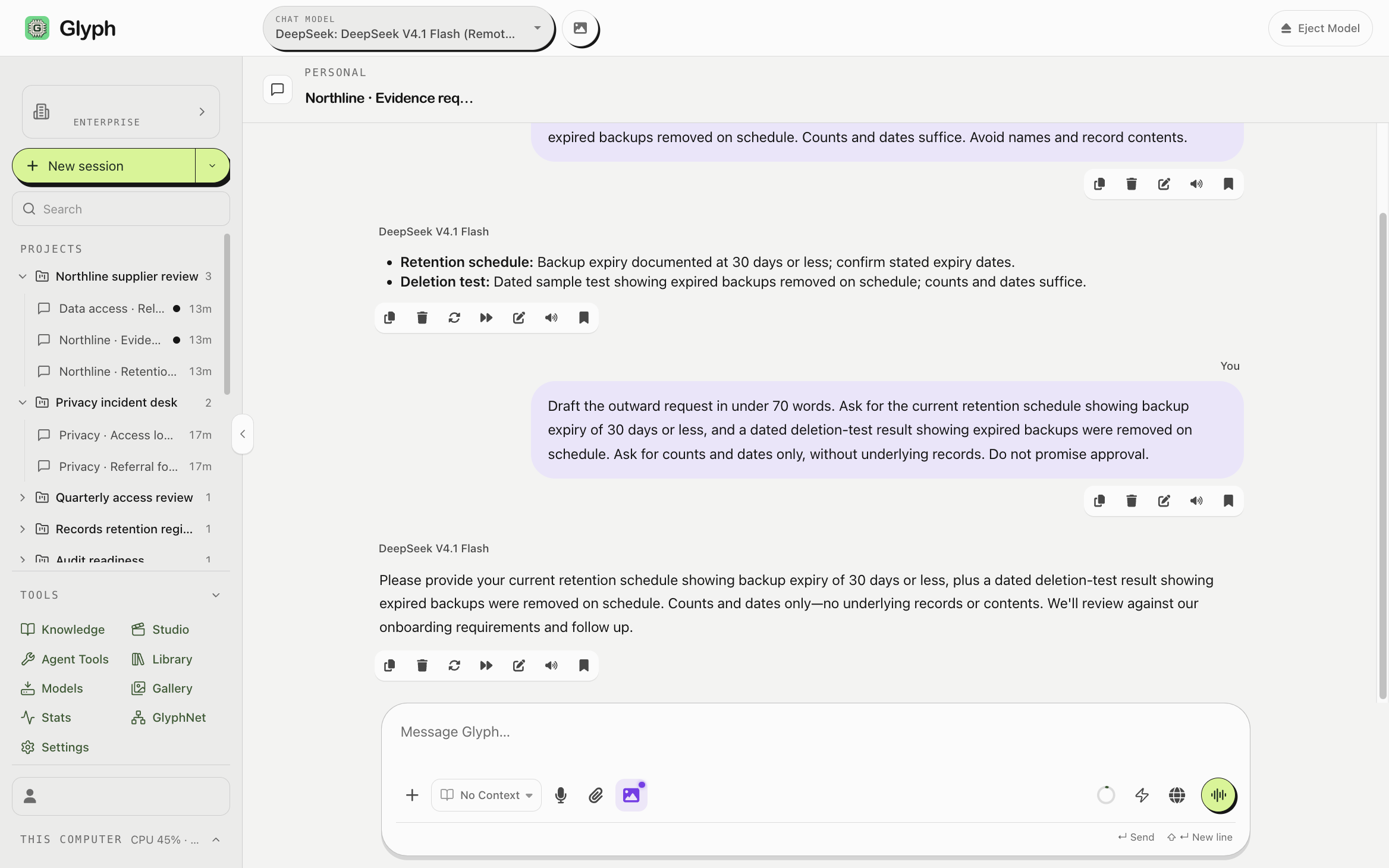
Glyph desktop — Chat interface
ChatDraft a supplier request for the backup schedule and a dated deletion test.Open image to explore ↗
01

Follow your curiosity

Choose a compatible local model for your hardware and task.

02

Start with pasted text

Paste a short, non-sensitive passage and ask one specific question.

03

Keep the source in view

Compare the answer with your original passage before relying on it.

02 — LOCAL BY DESIGN

Your work.
Your machine.
Your call.

Run compatible models locally. Optional cloud models, web search and sync use connected services; review the settings for the workflow you choose.

Explore the Trust Center ↗
YOUR DEVICE
Glyph
Your pasted textYour modelsYour ideas

Model downloads and connected services require a connection. This example does not certify network-wide offline operation.
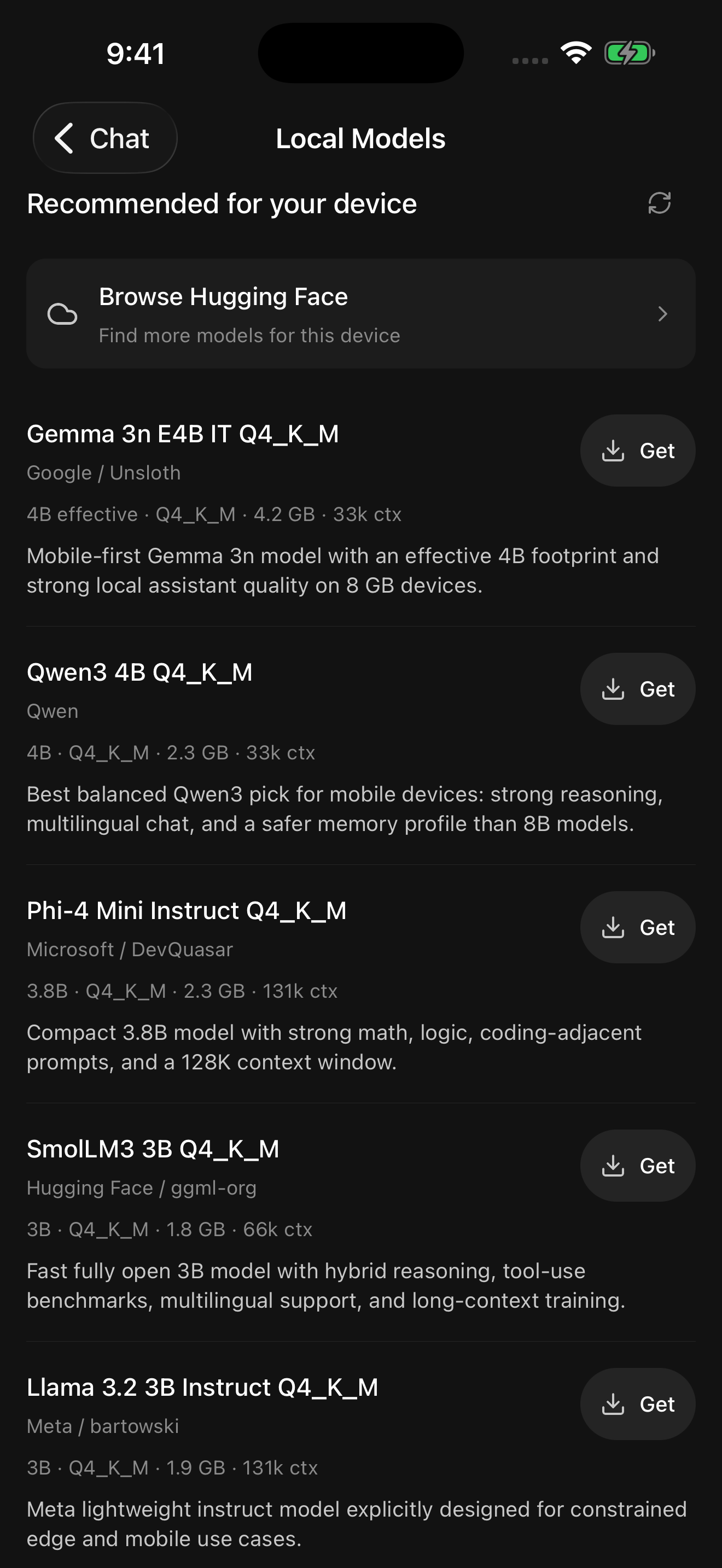
Glyph mobile model librarySmall screen.
Same curiosity.

03 — BEYOND YOUR DESK

Take your thinking
with you.

Download a compatible model to chat on your iPhone, iPad or Android device, including offline after the download. With Glyph Pro, pair with your desktop to use a larger model running on that computer.

ON DEVICE
Check device compatibility
ON YOUR NETWORK
Review connected settings

GLYPH FOR IPHONE, IPAD & ANDROID

Your ideas don’t wait until you’re at your desk.

Download Glyph free on iPhone, iPad or Android. The Apple app requires iOS or iPadOS 15.1 or later. Google Play shows compatibility for your Android device.
Glyph iPhone app — Your model library
Your model libraryChoose a compatible GGUF chat model. Its download uses device storage and running it requires enough available memory.
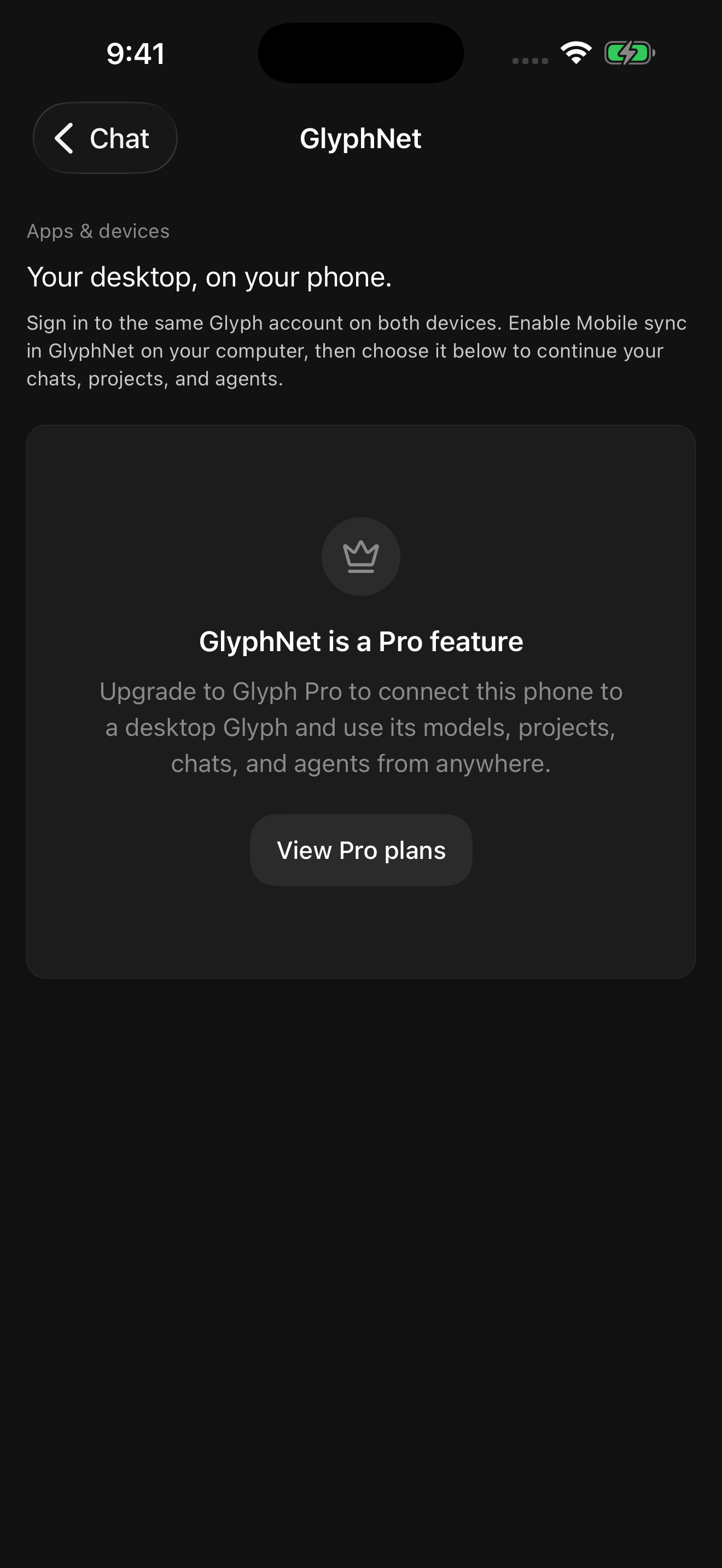
Glyph iPhone app — Connect with GlyphNet
Connect with GlyphNetWith Glyph Pro, pair with a reachable Glyph desktop host to use the models it shares.
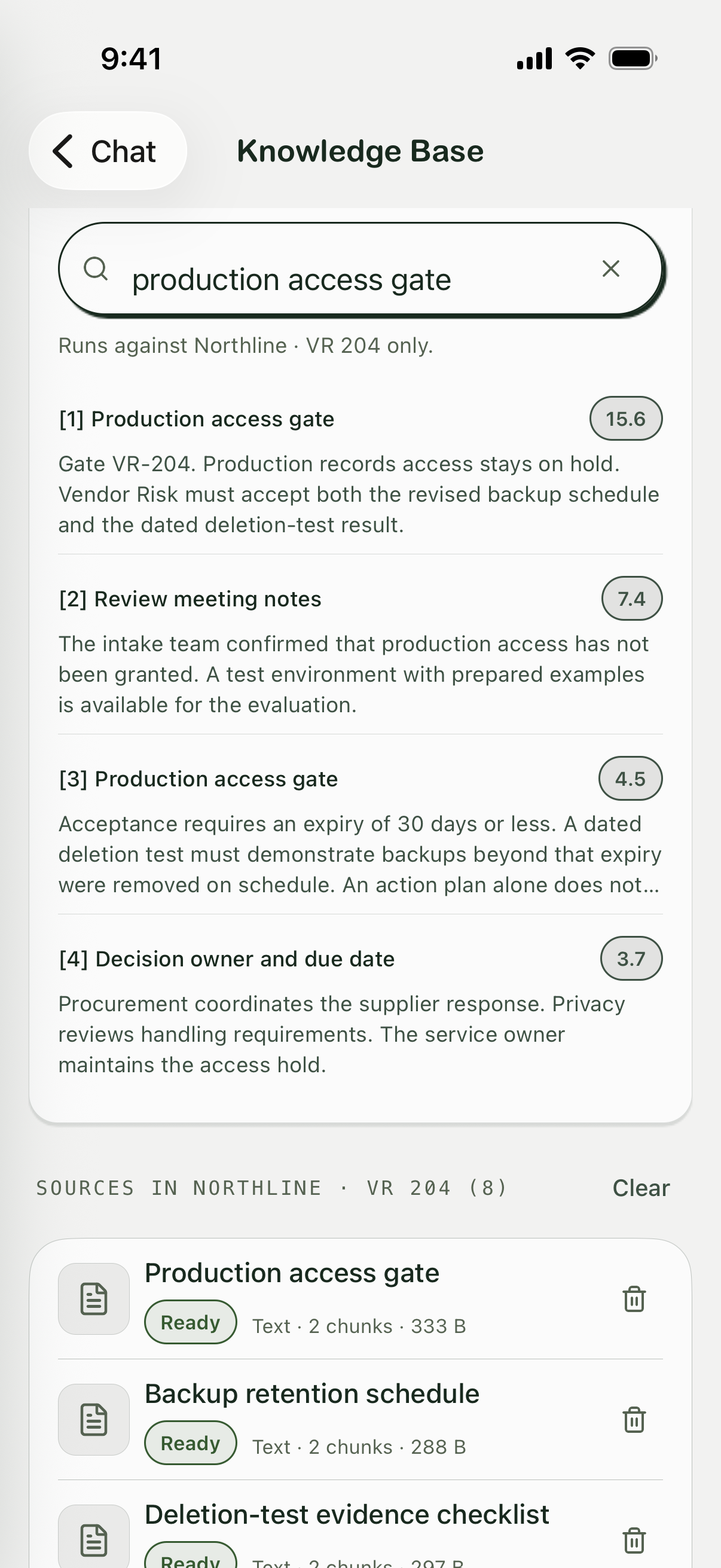
Glyph iPhone app — Mobile knowledge base
Mobile knowledge baseSearch the Northline casebook to see which evidence Vendor Risk must accept before granting production access.

Start small. Make it yours.

  1. Choose your model. Download one that fits your phone before using local chat offline.
  2. Bring your context. Free includes up to two knowledge bases, one custom persona and five saved memories. You can start without an account.
  3. Connect when you choose. Downloads use the internet. To use a model on your desktop, connect to that computer through GlyphNet.

In-app purchases are optional. The U.S. App Store lists Glyph Pro at $8.99 per month or $99.00 per year. Google Play shows your local price at checkout.

Compare web plans →

FOR TEAMS AND ENTERPRISES

Private AI for Teams and Enterprises

Give your organization access to powerful AI while maintaining control over where models run, how information is handled, and which security policies apply.

  • Local and private deploymentRun models on your own devices, or on a Glyph Private server your team operates.
  • Model flexibilityChoose the open models you approve instead of depending on one provider.
  • Organizational governanceSigned policies decide which models and actions enrolled Macs can use.
  • Shared knowledgeA shared Knowledge Base of text documents, indexed by your own embedding model.
  • Auditing and admin visibilityRoles, seat management and append-only audit records of administrative changes.
  • Customer-controlled infrastructureYour server, database, network and backups — your rules.

Team is available today. Enterprise capabilities are delivered through a scoped paid pilot; see what is available, in pilot, or planned.

04 — BUILT TO BE YOURS

Choose your next step.

Start with local AI. Add a deeper workspace or bring your team when you need more.

PERSONAL

Make space for more.

Review current plans and platform-specific features before choosing a workflow or subscription.

Explore Glyph Pro ↗
TEAMS

Shared work. Clear boundaries.

Discuss your device, deployment and policy requirements before choosing a team setup.

Explore Glyph Enterprise ↗

YOUR NEXT IDEA STARTS HERE

Bring AI home.

Local models. Open possibilities.